The IFRC 3W Activities framework (Who does What, Where) is a coordination tool used in humanitarian efforts to map and track the involvement of organizations, the types of services they provide, and their locations. It enhances collaboration, avoids duplication, identifies gaps in aid delivery, and supports resource allocation. It ensures data-driven decision-making and improves transparency in disaster response.
This document is a user guide for creating IFRC Who does What, Where (3W) activity form on the GO-platform. The text and graphics provide a step by step guide with supporting definitions, explanations and pictures to make it easy to enter data, and use the system. A 3W project or activity can be created by navigating to the go.ifrc.org and clicking on the Create a Report button on the top right corner and selecting New 3W activity option. Only users who have an organizational account corresponding to IFRC, National Societies or ICRC can create a 3W project/ activity.
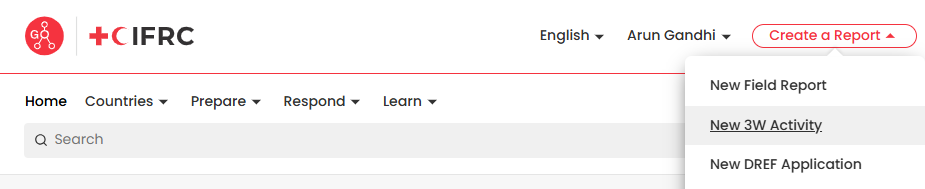
Upon clicking the New 3W activity option a new form will appear which the user has to fill in order to create a 3W project/ activity. A 3W activity can be created by choosing the Response Activity option. Below is a detailed explanation of each field that appears:
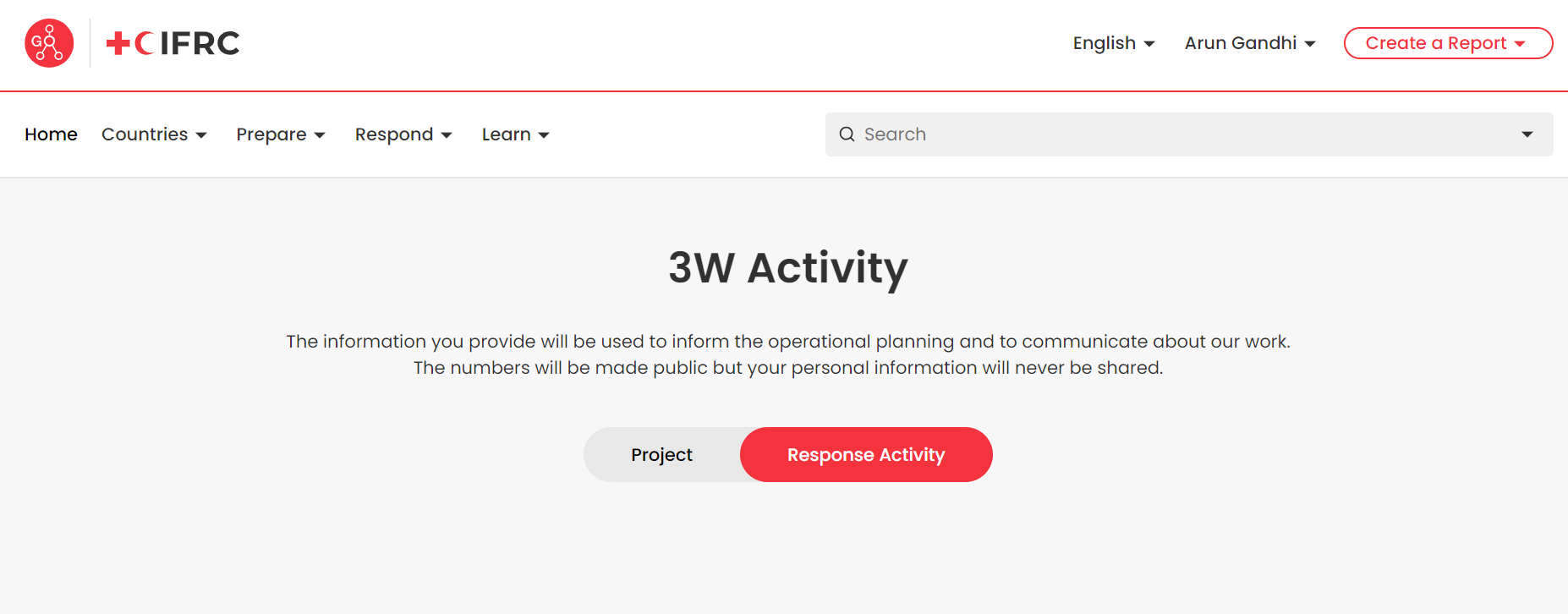
¶ 3W activity
- IFRC Supported Operation: Users can select from a list of IFRC operations running around the world, or can type the operation name to select the correct operation. If operation does not appear in the dropdown, the operation does not yet exist in GO. In that case, please submit a new Field Report to generate the operation, then come back to this form. Upon clicking the New 3W activity option a new form will appear which the user has to fill in order to create a 3Wproject/ activity. Below is a detailed explanation of each field that appears:

- Country and Province/ Region: Select the country where the activities reported in this form are taking place. Upon selecting the country, users can also select the corresponding region/ province where is the activity is taking place. Users can select multiple regions/ provinces where the activity is taking place. This field provides a drop down menu to select the country/ region and it is mandatory to enter data into this field.

- Estimated Start and End Dates: Users need to select the date when the work on the activity began. The project status (planned or ongoing) is automatically selected by the entered dates. It is mandatory to enter the start and end dates.

- Activity Description: Please enter a short narrative text about the activities undertaken by the National Society. Links can also be added to the description which may point to any public documentation if existing. Entering data into this field is compulsory.

- Who is leading the Activity: Users are presented with two options namely: National Society and Deployed ERU. If Users choose National Society then they need to provide the name of the RCRC actor (NS, IFRC/ICRC) who is leading the activity. If user choose Deployed ERU option, then users need to select the appropriate ERU which is conducting the response activity from the options presented in the next field of the form.

- National Society: This option appears when users select National Society option as the actor Who is Leading the Activity. This field presents with a drop down list where users can select the appropriate National society name. It is mandatory to enter data into this field.

- Name of ERU: This option appears when the user chooses Deployed ERU option in the Who is Leading activity form field. Users are presented with four options: Finnish Red Cross form Logistics, French Red Cross for Community Based Surveillance, Norwegian Red Cross for Water Supply and Rehabilitation and Spanish Red Cross for Household Water Treatment and Safe Storage.

- Contact Information: If users have selected National Society in the Who is Leading the Activity form field, then this field appears where users need to enter the contact information of the person of the National Society or IFRC/ICRC for any coordination matters related to the response activity. Users need to enter the Name, Role and Email of the person heading the activity.

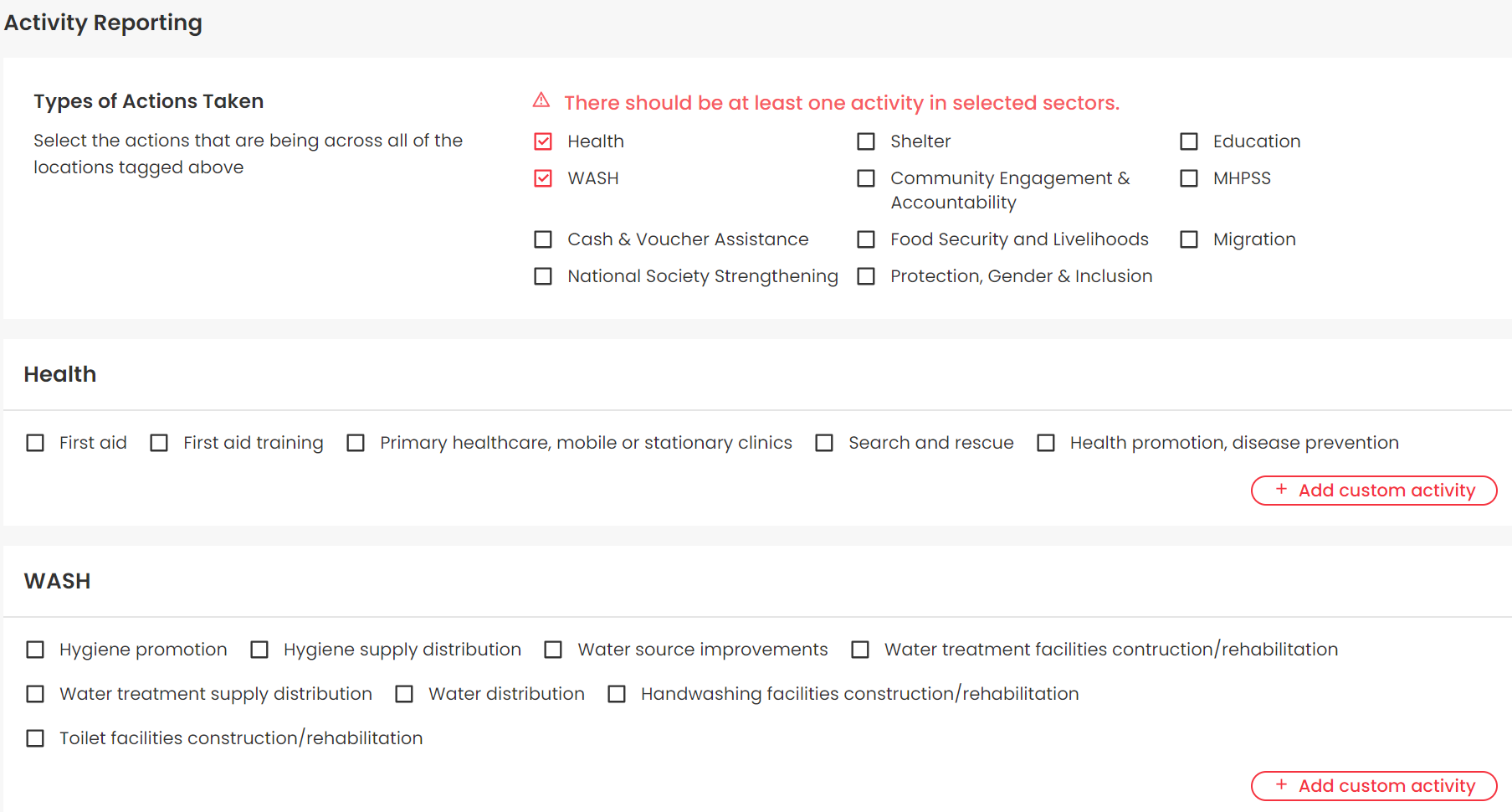
- Activity Reporting: Users have to choose the appropriate primary sectors where the activity is taking place. The list of sectors include Health, Wash, Cash and Voucher Assistance, NS strengthening, Shelter, Community Engagement & Accountability, Food Security and Livelihoods, protection, Gender and Inclusion, Education, MHPSS and Migration. Upon selecting a primary sector, users need to select at least one activity. If the activity is not mentioned in the options, users are also presented with the option to add custom activity.
Upon filling up the form, users can submit the form by clicking on the submit button at the bottom of the webpage. The new 3W activity created can also be viewed by clicking on the Account option that emerges when the user clicks his/her username situated on the top right corner of the webpage. The 3W forms then can be viewed by selecting the My Forms section and navigating to the Emergency Response 3W Activities Section.